Mane Slice / OctoPrint interface
A clearer view
of the print.
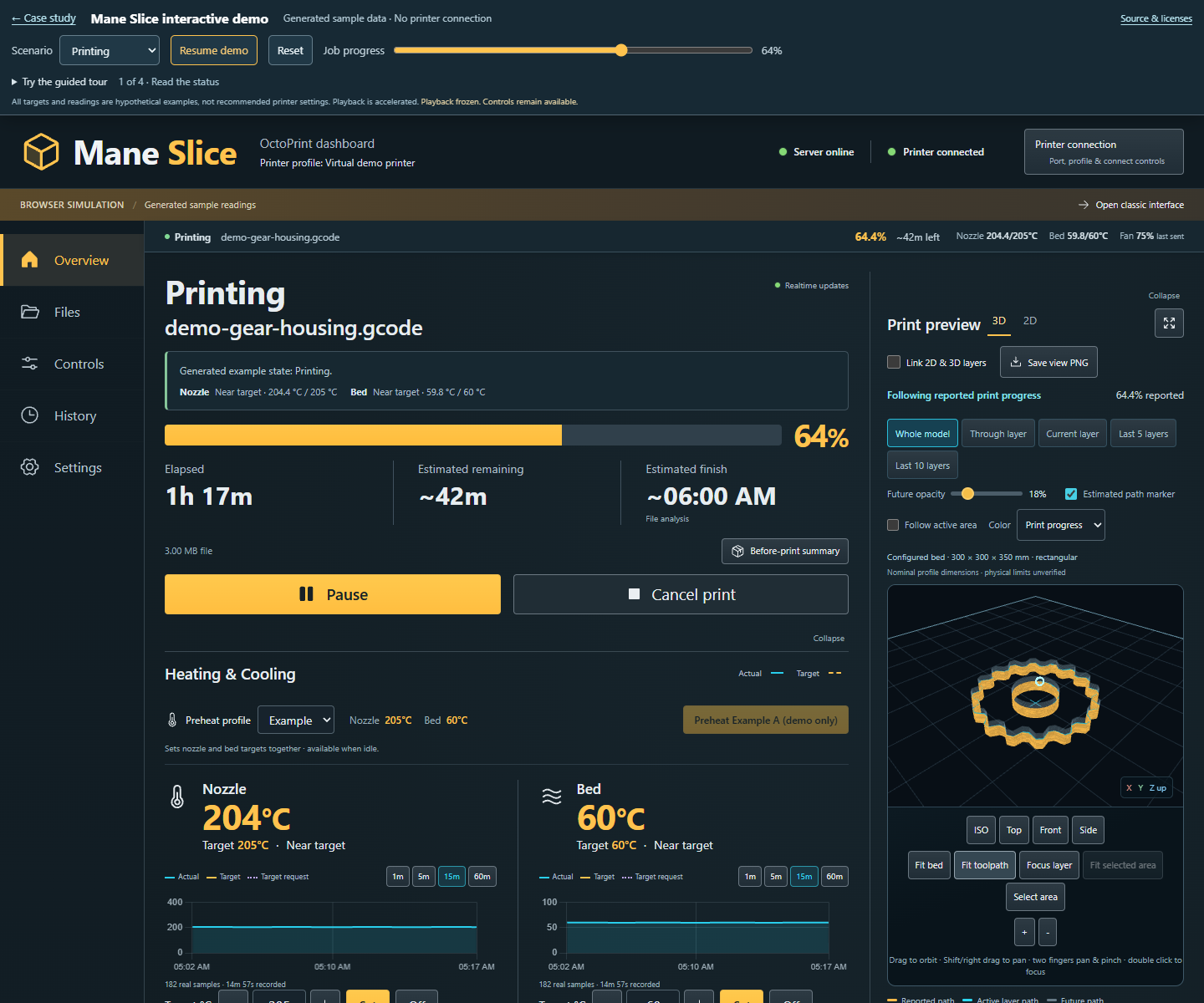
A dashboard that brings the print, its readings, and the controls you need into one understandable workspace.
- Project
- Independent interface development
- My contribution
- Operator priorities, design direction, iterative review
- Implementation
- AI-assisted · React · WebGL · OctoPrint
- Featured iteration
- October 11–14, 2026
01 / The brief
Make the next action clear.
OctoPrint connects a printer to a browser so an operator can manage jobs, temperatures, motion, and files. My goal was to make those capabilities easier to read at a glance on my Anycubic Kobra Plus, with the print itself at the center of the screen.
I defined the priorities: keep useful controls beside their readings, show commanded fan percentage, make jogging understandable, and bring essential job information into an expanded preview. The printer has no camera, so the interface focuses on reported status and the instructions that describe the model.
I reviewed the design concepts and clickable prototype, then directed successive changes through an AI-assisted workflow. Implementation and automated validation used Codex assistance. Testing the working interface exposed practical issues—small controls, awkward zoom, weak depth cues, and a phone layout that still inherited desktop behavior.
02 / Before & after
From a separate viewer to a working preview.
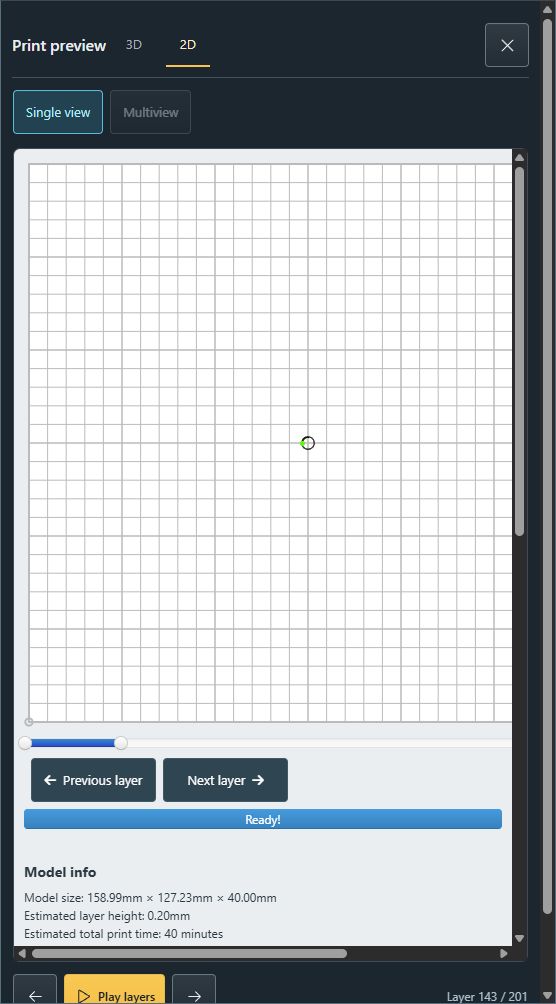
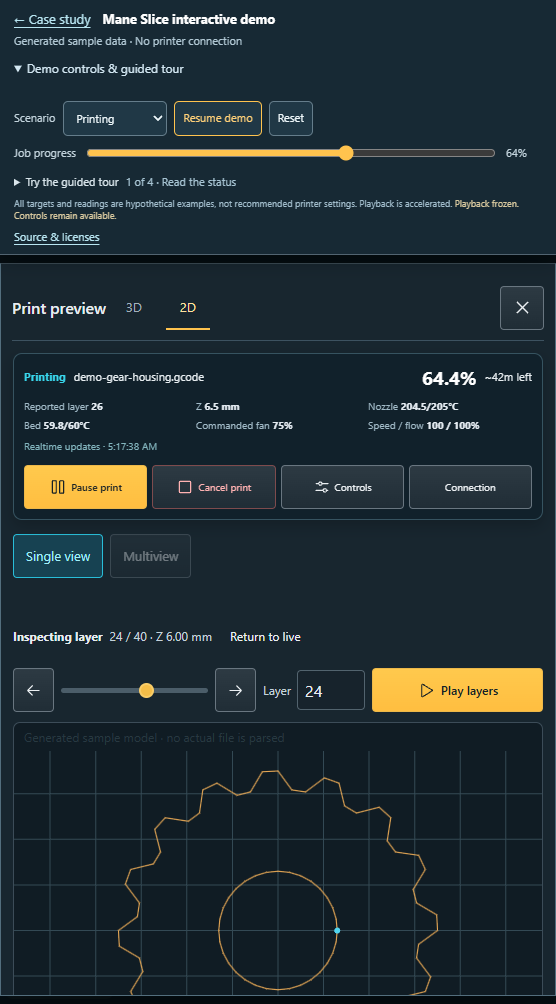
The comparison shows the evolution of the 2D interface. The earlier image is a genuine development capture; the completed interface uses sample geometry at a different layer. Compare the layout and controls, rather than the printed shape.
Before Earlier native 2D preview
After Integrated layer inspection
03 / The workspace
The model and the controls, together.
A useful overview
Job state, progress, remaining estimate, heater readings and targets, and commanded fan history share one dashboard. One-minute chart windows help inspect recent changes. Temperature adjustments sit beside their graphs; connection management has a visible entry point.
Clear manual controls
Directional arrows and an axis guide explain jogging. Preset steps include 100 mm, with a custom amount, Home + Center, and Center actions. Motion and extrusion retain the underlying permission and state checks.
Detailed layer inspection
The 2D view adds numeric layer selection, parsed Z height, Fit bed, Fit layer, zoom, and reset. Presets expose travel moves, retractions, or neighboring layers. Live following and manual inspection have an explicit Return to live action.
An expanded workspace
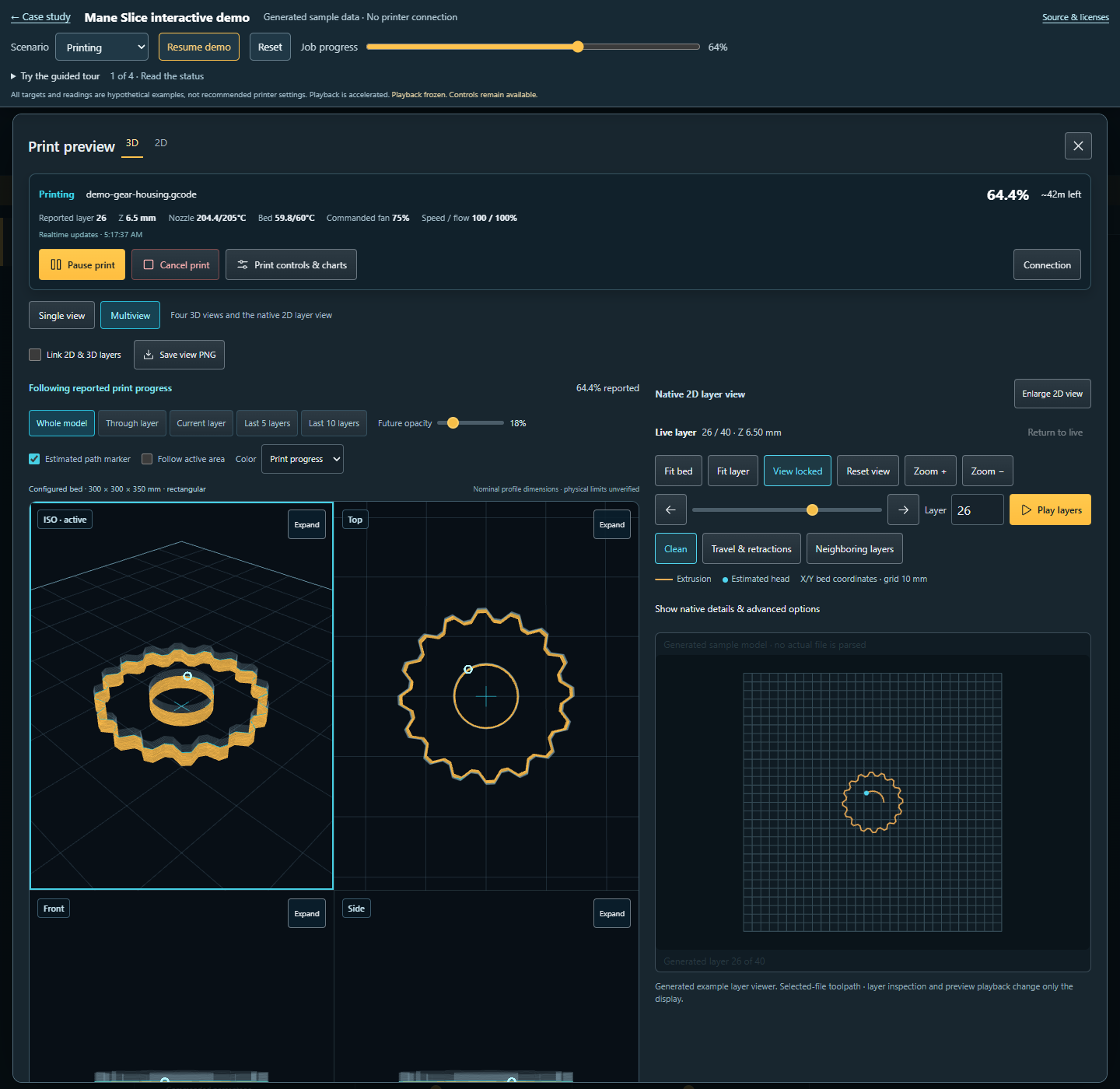
Essential job readings and native print actions stay available above the preview. A controls-and-charts drawer avoids repeated navigation. Display preferences are remembered, and PNG export adds file, layer, and progress context.
More ways to understand the shape
The 3D preview supports zoom up to 25×, pan and pinch gestures, focus on a selected strand, rectangle selection, and cutaways showing the last five or ten layers. Tool and commanded-feed colors use available source data. Optional linked layer inspection keeps 2D and 3D aligned. The views share one WebGL model and context; smooth drawing runs at up to 30 frames per second.
04 / On a phone
Fix the viewport,
then the layout.
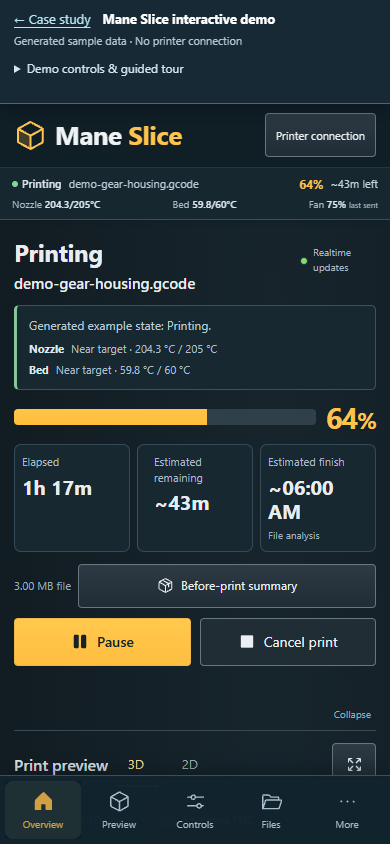
Rearranging cards was only part of the phone fix. Classic OctoPrint’s fixed desktop width and viewport settings could still force the dashboard outside the screen. The update gives Mane Slice its own responsive viewport behavior while it is open, and restores the original settings when returning to Classic.
The expanded view places compact status and touch-sized actions above the canvas, with optional tools below it. Checks cover 320, 390, and 430 px portrait widths, landscape phones, tablets, and desktop. These are browser checks; physical-phone Safari testing remains separate.
05 / The process
Review, use,
refine.
- Define the operator’s needs. Start with an understandable overview, then add controls where decisions happen.
- Review a clickable concept. Establish the Mane Slice name, visual direction, and dashboard arrangement before integration.
- Iterate on the real interface. Refine connection management, charts, motion controls, preview framing, and touch interaction through use and review.
- Verify each change. Exercise generated scenarios and the exact native renderer, then inspect the signed-in installation. Keep software evidence distinct from physical print results.
06 / Verification
Evidence behind
the interface.
The October 14 release records the following results. They verify software behavior and the inspected integration; they do not establish improved print quality or universal printer compatibility.
| Check | Passed | Scope |
|---|---|---|
| Frontend tests | 399 | Interface state, rendering, preferences, and controls |
| Offline backend tests | 18 | Stubbed backend behavior |
| Browser checks | 79 | Responsive layouts, interaction, and native renderer |
| Mocked deployment checks | 111 | Installation checks using generated states |
The installed dashboard was inspected on OctoPrint 1.11.8 with a Kobra Plus. The final frontend update required no server restart or printer commands. Live integration keeps OctoPrint’s authentication, permission checks, native confirmations, and connection and G-code panels.
What the preview and readings actually mean
- Print position: parsed toolpaths and reported progress estimate the displayed head position; it is not independently measured motion.
- Smoothness: up to 30 FPS describes drawing, not 30 Hz sensor updates.
- Fan: the chart shows commanded percentage. This printer does not provide measured fan RPM.
- Path colors: tool and commanded-feed information depend on the source. Slicer feature labels are unavailable where parsing discards them.
- Readings: unknown values and stale data remain visible as such. Demonstration temperatures are examples, not material recommendations.
The additive dashboard preserves upstream integration and GNU AGPL v3 notices. Read the simulator implementation notes (opens in a new tab).
Explore it yourself
An example print,
in your browser.
Try the interface with generated toolpaths, readings, and simulated controls. The example has no printer connection. Broader slicer intelligence remains a separate development goal.